I had this review planned for the day after Christmas, but due to my hiatus, it has been delayed until today. But hey, Christmas starts earlier every year, so why not start in January?
TI-55.
When I ask people about calculators they remember fondly, almost every one of them begin with the letters "TI". Texas Instruments has been designing and refining calculators since 1973, and even in their early days they were absolutely killing it. Vintage TI devices have become collectibles for people like myself while newer devices still reign supreme in various markets.
The TI-55 was released in 1977, back when it was still cool to use LEDs. Later variants of the TI-55 used boring LCD displays. This was probably to preserve battery life, but I'll take a gorgeous display over longevity any day.
Speaking of batteries, the TI-55 had its own rechargeable battery pack. This might seem great until you remember this was way back in the 70s, before lithium ion batteries were a thing. Because of this, no stock TI-55 currently works today. Thankfully, this battery pack is fairly easy to remove and can be replaced with a standard 9 volt battery. The video review goes into a bit more detail about this, and there are guides online that explain why this works. It's just awesome that this calculator can be made to work these days.
Aside from the outstanding display, the TI-55 has a great color scheme and overall design. Sitting at a desk and looking down at it, you can see that this was designed to be viewed from an angle. This makes it ideal for school work, especially since it's fairly weighty and has rubber feet to keep it still on a flat surface. However, when viewed from directly above, the display is blocked. This may have been to prevent onlookers from seeing operations. Great care was taken in this calculator's design.
Slightly different angle shows display obscured.
Of course, this is The Calculator Review, so you know I'm going to talk about the button feel. Considering this device could technically be considered a pocket calculator, I am blown away by how amazing these buttons feel. They're clicky and responsive, and perfectly debounced to prevent accidental double-presses. I have no idea why Texas Instruments didn't choose to stick with this button design with later models because it's incredible.
It's a shame, really, that the LCD has become so ubiquitous in pocket calculators. From a technical perspective, it makes perfect sense, as it paved the way for solar and dual powered devices. But from an aesthetic perspective, it's disappointing. The TI-55 is a marvel of engineering and design. It looks beautiful in my collection.
Back of calculator.
Original battery compartment disassembled.
Each button was taken out to be cleaned. This was a huge pain to put back together.
Calculator completely disassembled.
Foam removed. It crumbled at the slightest touch, so it couldn't be reinstalled.
Duct tape used in place of the foam. Slightly alters the feel of the buttons, but still works just fine.
Red goes to black and black goes to red. It's annoying, but that's how this calculator does it.
New 9 volt battery adapter installed.
Electrical tape used to hold things in place.
Testing the new battery setup to make sure everything's working just fine.
The battery is loose without the cover, but with the cover it's held comfortably in place.
The LeWORLD W2099 Scientific Calculator feels like the product (haha) of a company that just doesn't care. Yes, it is a budget calculator, and yes, I don't purchase such things with high expectations or standards. The thing is, they know people need calculators, and they know people will often just look for the lowest cost for the functionality they need. So they produce a cheap calculator that doesn't just look and feel cheap, but is also borderline useless.
LeWORLD W2099 Scientific Calculator.
I found this calculator at Ollie's for $2.99, and honestly I was pretty excited about it. In the packaging, it looked like a solid device, so I left it in its packaging until I made the video review to let me give my unscripted initial reaction. I was expecting to review a decent calculator and admire that a company would make a quality device for those on a budget.
Rough edges make a crummy calculator even crummier.
But alas, the moment I took it out, I realized I was in for a disappointment. Wow does this thing feel cheap. I mean cheaper than even lower-priced calculators. It features a swinging cover that looks awesome, but its design prevents it from closing securely. This wouldn't be a terrible thing if the screen wasn't made of super thin, easily-bent plastic, or if this ran on solar cells. I wouldn't feel safe tossing this in my backpack for fear that it might accidentally get turned on and waste battery life or have its screen damaged.
Another problem is the battery situation. It runs on two LR1130 batteries that are concealed by a panel on the back. I actually love when a calculator does this. It's supposed to make the battery easy to access, but for some reason LeWORLD decided to use a screw to hold the battery cover in place. The screw doesn't tighten completely, and is a pain to remove, so what could have been major points for convenience ended up just being one of the device's many flaws.
What makes this so disappointing is that this calculator looks great- from a distance. The color scheme is great, utilizing different shades of blue with nice contrasting colors used for text. This is on top of a slightly shiny silver plastic that almost looks metallic. In fact, if this thing was made of aluminum (made well, I mean), it would be among my favorite calculators.
Back, battery cover and batteries removed.
Functionally, it's also pretty great. Ten digits, lots of possible operations, and solid programming behind the plastic show that at least some employees of LeWORLD cared about this device. The buttons don't feel special, but they work just fine.
Finding information about this calculator proved difficult, but I managed to get in contact with the manufacturer and found out this model was started in the 1990s. The person who responded to me couldn't give me a better estimate than that. My guess is it was mid-to-late 90s, and this is purely based on its style. It looks like something that would have come out during this time frame. The W2099 is no longer in production.
I feel a bit bad about writing such a harsh review when the company got back to my inquiry so quickly, but I have to stay honest with these calculator reviews. For what it's worth, I appreciate the gesture.
Original packing - front.
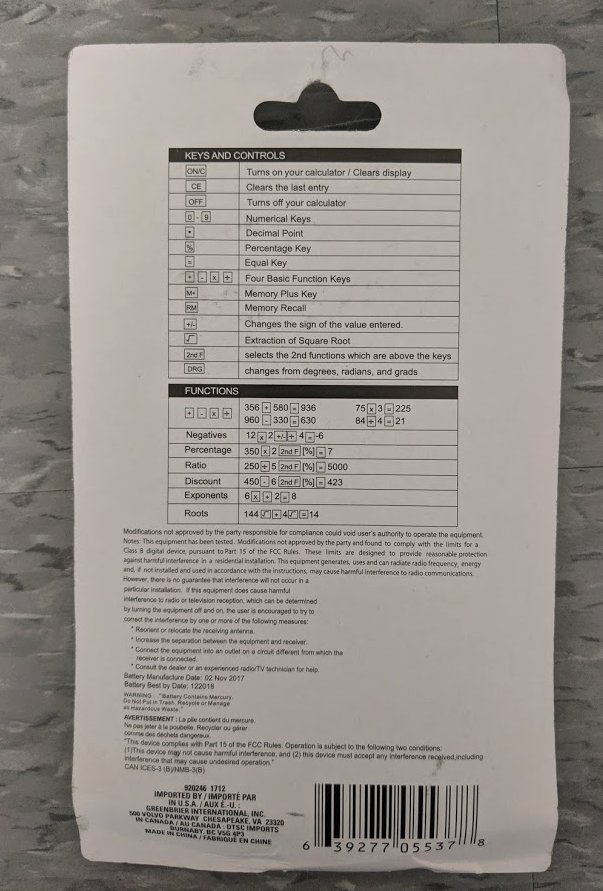
Original packaging - back.
Inside look reveals that cardboard makes up the support structure.
I often ponder the development cycle for a calculator. Every product is created to fill some need, and for the past decade or two, it could be argued that calculator innovation hasn't exactly been booming. A lot of the devices in my collection do the same things, so what inspires a company to put forth the time and resources to create a new model? This is the question that today's calculator raised for me.
Staples BD-6108 Scientific Calculator
The Staples BD-6108 Scientific Calculator is ugly. It's thinner than many scientific calculators, sure, but what were the designers thinking when they decided to go with a clear button scheme? Taking a step back, the black back plate and white face plate is a bold choice, and I don't know of another device that uses this level of contrast. With just the red Staples label, this could have been a bold calculator that would look awesome on any desk.
But they went with clear buttons. This design not only annihilates the aesthetic, but makes finding the button you need a chore. Black buttons with white text would have looked outstanding and make this easier on the eyes.
I'd have been happier with this calculator if they'd decided to go with bright, obnoxious colors and made it absolutely hideous. At least then it would be interesting. As I keep taking glances at the device while writing this, I just get more annoyed with it. I don't like it.
The display isn't particularly great either. Any time light hits it directly, or it's tilted just slightly too far, the digits become unreadable. This might be useful to keep someone sitting next to you from cheating, but why would anyone bother if they saw you using this thing?
Then Staples had the nerve- the NERVE- to forgo a solar panel and use a non-standard battery type (CR2025) with a pain-in-the-ass series of screws to get inside this calculator to change said battery.
They still sell this on their Canadian website for $7. Who is the market for this calculator? With so many other great- even crappy- calculators, why on Earth would anyone bother with the BD-6108?
Fortunately, I didn't pay much for my BD-6108. It was $3 at a used book store, and I can totally see why its previous owner ditched it. As a calculator collector, I will keep and care for this device, but that won't stop me from giving it dirty looks whenever I see it.
I'd like to start today's post with a huge thank you to everyone who has been sharing this blog on social media. I haven't mentioned here, but I did frequently when I was posting on Facebook, that I have received overwhelmingly positive responses about these reviews. I look forward to writing these and to reading the comments.
One of the issues with writing calculator reviews is that not all of these calculators can be easily found. Some of you may be looking for a device to call their own, but aren't sure where to look. Today's review is the first to address this issue. This calculator can be found at the Dollar Tree for $1, but is it worth it?
The Jot Scientific Calculator:
aptly named
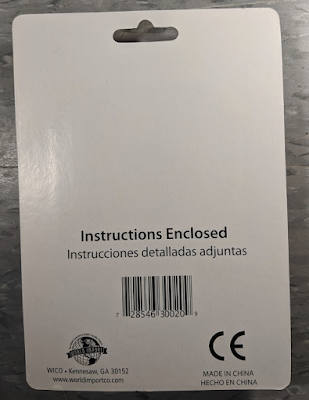
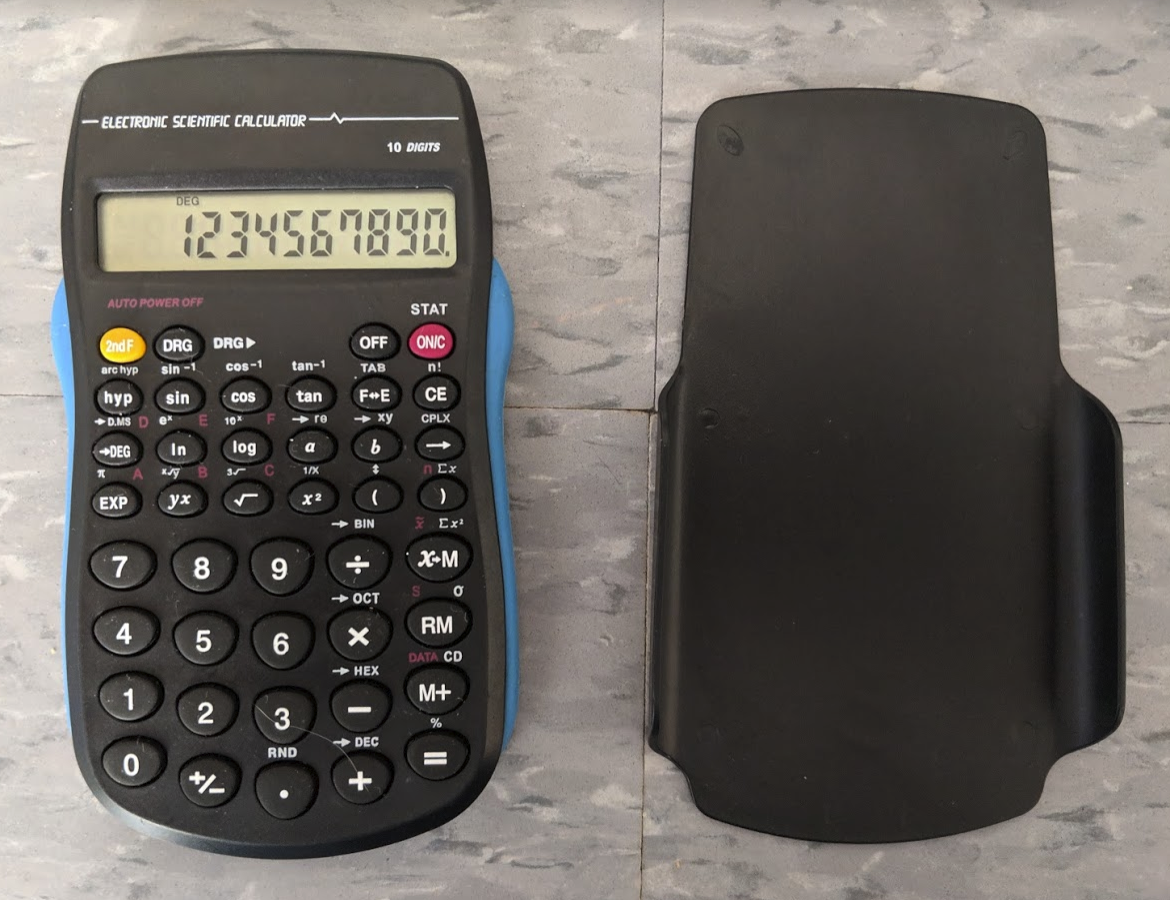
The Jot Scientific Calculator eschews a fancy name and just gets right to the point. You don't need a picture of it to know what it is. For its size, it sure packs a lot of functionality. It's roughly the size of a standard algebraic calculator, yet features a 10 digit LCD screen and 56 different functions.
Okay, but this is a $1 calculator. Surely that's where the positives end, right?
Wrong.
It doesn't have clicky buttons, but they feel responsive enough. Nothing essential feels like it's going to break or fall off without considerable effort. The rubber grips on either side naturally conform to the palm of your hand, allowing for comfortable calculations. It also sports a solid plastic cover that protects the screen and buttons well enough.
Come on, it's a $1 calculator. That's got to be all of the positives by now.
This photo is for showing the cover, but it also represents where the cover
usually is when the calculator is on: not on the calculator.
Yeah, it is.
The cover, while protective, doesn't stay attached to the calculator when the calculator is in use. It's also completely blank, whereas most devices would provide metric conversion rates, button explanations, or some other kind of useful information. This has nothing, and the cover just seems like something that could be easily lost.
The previous owner must have lost two
of the screws when changing the battery.
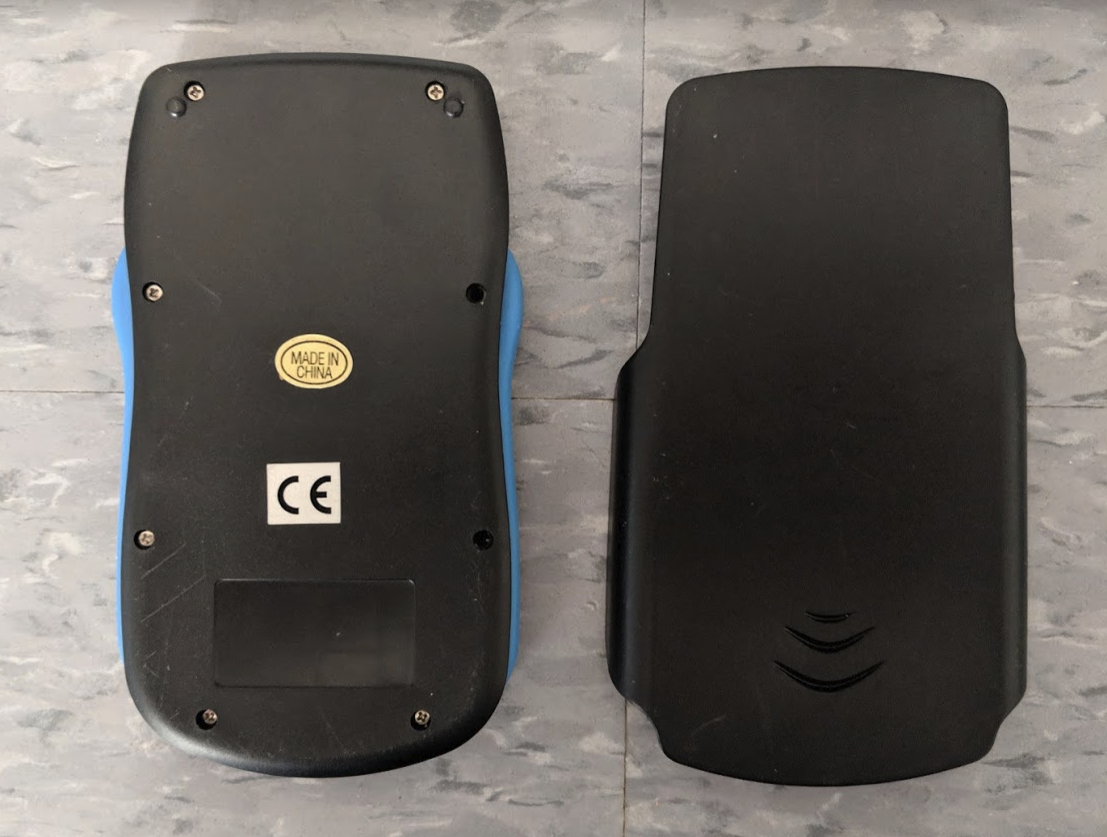
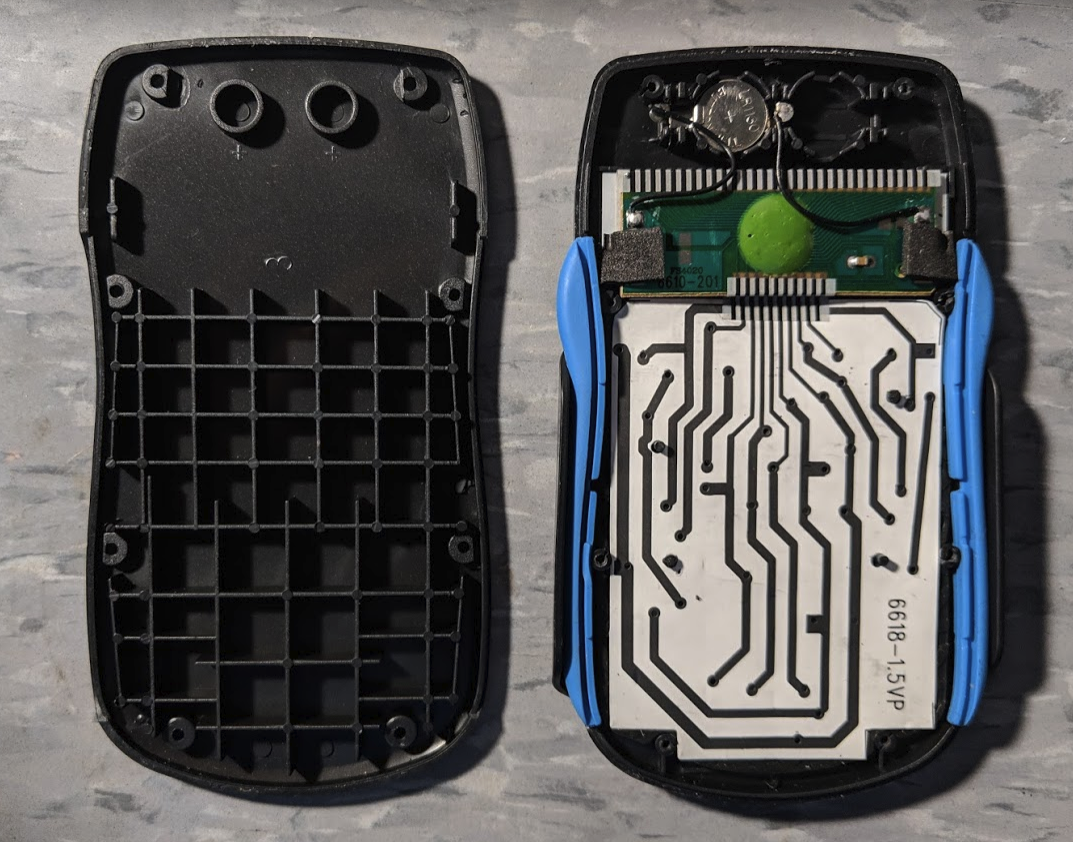
But that's not nearly as much of a problem as the power supply. It can run on either one or two LR1130 batteries, but this device came out within the past decade. The earliest I can find a mention of these is 2013, so there's no reason to not make this solar powered. This wouldn't be so bad if it was easy to access the batteries. It's not. In order to get to them, you're going to need a jeweler's screwdriver and something to contain the eight micro screws. It's extremely inconvenient and by itself makes this calculator almost impossible to recommend.
While I would never call a calculator disposable, it feels like that's what Jot was going for with this device. It might be good for an emergency calculation, but it's worthless for long-term use without additional tools. It's really a shame that this could have been a solid device, but instead it's unreliable.
You should never need to see this much
of the inside just to change the batteries.
If you'd like to get a Jot Scientific Calculator of your own, get it at Dollar Tree. It's sold in a lot of other places, but usually for $5 - $15. I've seen many variations in the packaging of the device, but I assure you they are all the same thing. If you're going to be spending that kind of money, you might as well get something better.
For a good time.
Hey, this would have been useful inside the cover.